MLO Single Fix
One MLO, fixed and checked.
$5one time
- One MLO fix
- Re-scan of the fixed files
- Fixed files and repair report
Players falling through the floor? Textures missing? Upload a FiveM MLO or map. We find the problems, repair what is safe to repair automatically, and shrink oversized textures. Every fixed package is scanned again from its own files before you get it.
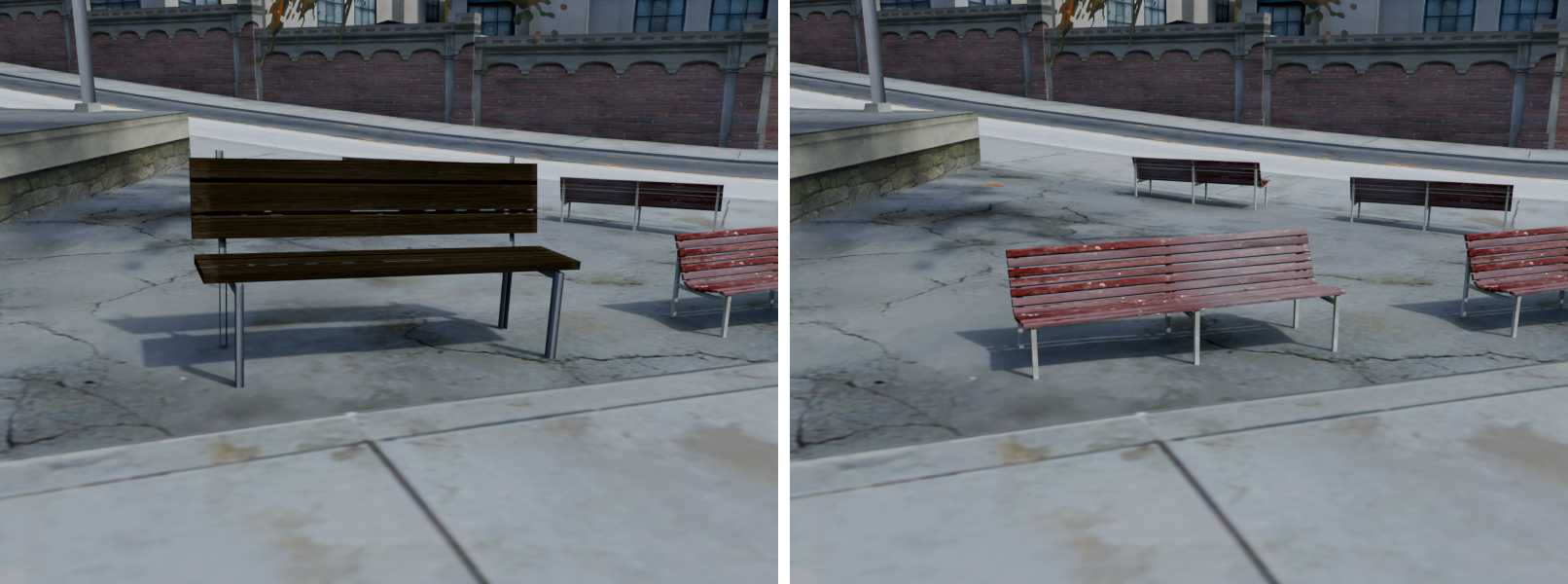
A map can work and still drag your server down. We check weight as well as faults.
Texture files over FiveM’s 16 MB limit are shrunk without re-encoding: we keep the game’s own smaller copies of each texture. Very large files can come back only partly reduced, and your report says so.
Textures that eat streaming memory are slimmed down, so there is less to stream while players drive around.
Empty collision parts, missing interior registrations and duplicate files are fixed before your players hit them.
Map extents that are too small are grown, so props stop popping in late.
Interior room and portal counts are corrected, so the game can skip drawing rooms you cannot see.
Lighter files mean players download less and join your server faster.
Missing collision and blocked doors are found and shown to you. Empty or misnamed interior collision is fixed automatically.
Your report shows file sizes before and after, so you can see what changed.
Real numbers from our own runs on race tracks, not a customer result. Your savings depend on your map. How optimization works
Most tools only know GTA V. We built MLO Fixer from real Liberty City server work, so LC maps and MLOs get the same checks as LS ones.
These are untouched renders of the real map files from our own FiveM fixes, with the same camera before and after. The trash bag is a plain grey shape render. Drag each slider to compare.
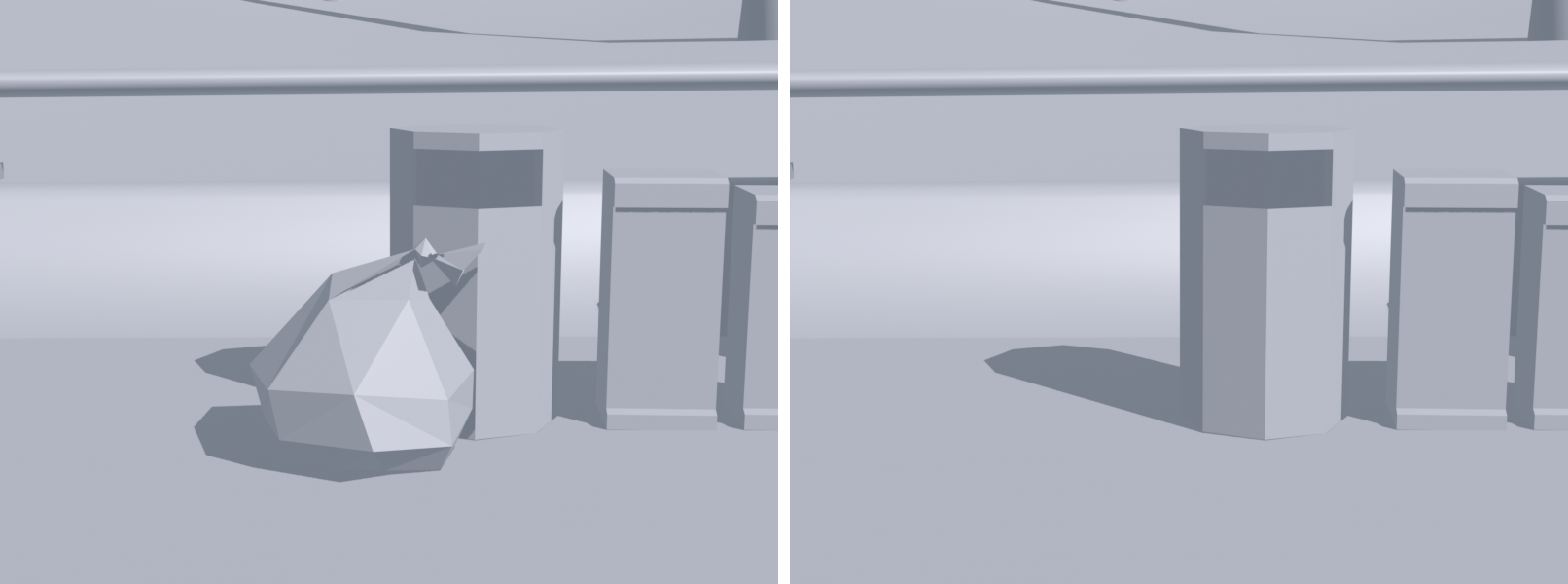
An unwanted bag sat beside the bins. Bag removed, bins kept in place.
View full size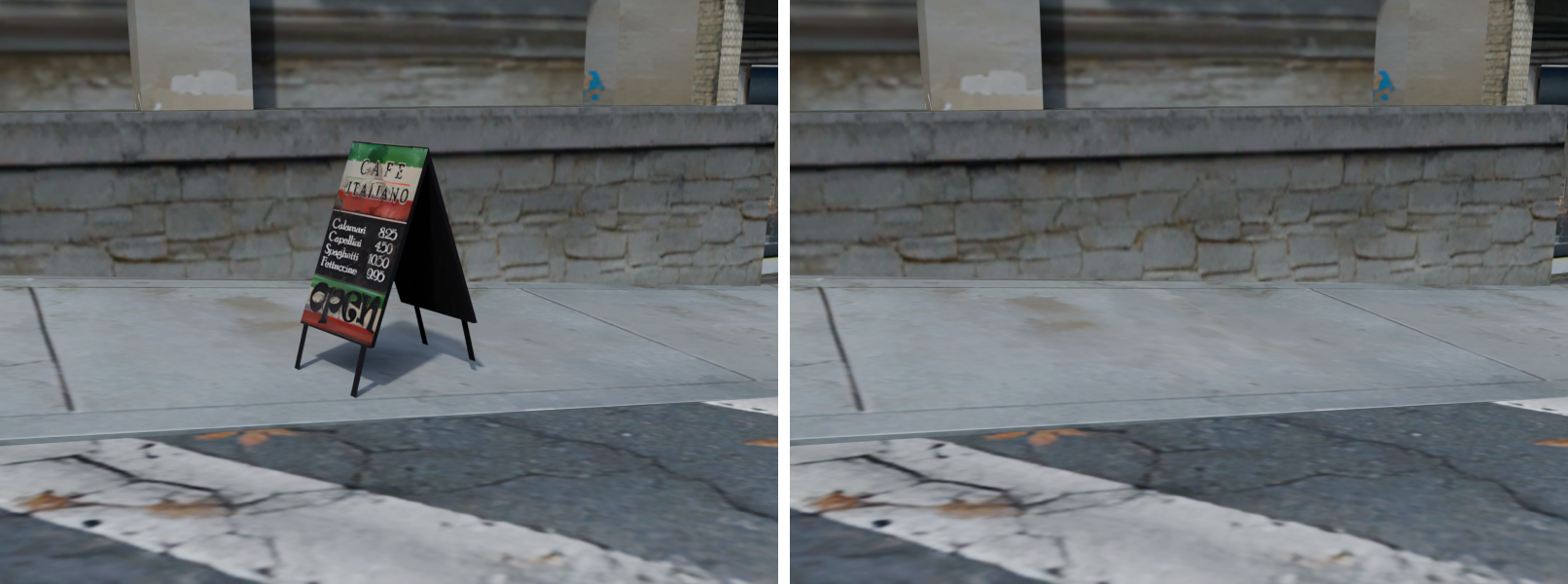
A stray A-frame sign blocked the sidewalk. Sign removed, path left clear.
View full sizeNo modding tools to learn. You send one ZIP and get back a resource you can drop on your server.
One MLO fix is $5. One map fix is $6. Or pick a monthly plan.
Your fixes, scans and downloads stay in your account.
Your MLO or map with its fxmanifest.lua and stream folder. We detect LS or LC and the game build. You confirm.
We scan it and show what we will fix, and what we can only report to you.
Safe fixes are applied, then the whole package is scanned again. You download the files and a plain report.
A credit is only used when a fix succeeds. Nothing to fix? No credit used. The fix fails? No credit used.
You see what is broken, how bad it is, and whether we can fix it for you. Sample report below.
Showing 10 of 26 problems.
Falling through the map, invisible walls, flickering walls, floating props, doors you cannot walk through. Each finding names the file and the fix.
Missing floors, invisible walls, and .ybn collision that does not match what you see.
How we check collisionEmpty drawables, broken model references, and LOD links that make objects disappear at a distance.
How we check geometryOversized .ytd textures and missing references that waste memory or leave surfaces blank.
How we check texturesInvalid .ytyp entries, mismatched model names, and wrong bounds that stop assets loading.
How we check archetypesMissing file declarations and broken paths in fxmanifest.lua.
How we check manifestsFloating props and misplaced objects in .ymap files.
How we check propsMissing or misaligned portals and wrong room links that make walls, props, or lights vanish between rooms.
How we check portalsOccluders that hide things they should not, or let the game draw everything behind a wall and drop FPS.
How we check occlusionDoors you cannot walk through: collision across the opening, wrong door bounds, or a frame too tight for the player.
How we check doorwaysWalk through a sample scan with a made-up map. No file is read. When you buy a fix, you upload your own file from your account.
See the steps and the results with a made-up map. To scan your own file, buy a fix or a plan, then sign in and upload.
See plansSample only. No file is read or uploaded.
Every file is virus-scanned, checked in a locked-down lab, and deleted after 7 days. Nothing in it is ever run. The scan uses no credit.
Starting.
We detect this automatically. Change it if it's wrong.
Map Single Fix, $6 once. One map up to 500 MB. Or Map Basic at $19/mo for 10 maps a month.
Sample result. No file was read or uploaded.
The first FiveM app in ChatGPT. Sign in with your MLO Fixer account, drop in a resource, and scan or fix it right in the chat.
About the ChatGPT appThree ways to fix a broken or heavy FiveM map. Here is what each one does.
| What you need | MLO Fixer | Texture optimizer tools | Hiring a freelancer |
|---|---|---|---|
| Finds faults | Yes. Nine checks, every problem by file | No. Textures and models only | Yes, by hand |
| Fixes faults | Safe ones: bounds, interior portals, manifests, empty collision parts, duplicates. Missing props and collision are flagged | No | Yes, by hand |
| Texture optimize (16 MB limit) | Yes, in every fix | Yes | Sometimes, often extra |
| Before-and-after renders | Not yet for your own files. Every fix is re-scanned | No | Rarely |
| Liberty City maps | Yes | Textures only | Depends on the person |
| Turnaround | Minutes | Minutes | Usually days |
| Price | From $5 a fix. No credit used if nothing is fixed | Free to a few dollars | Often $10 to $60 a job |
Typical for each kind of option, not any one company. A freelancer can do custom work we do not, like building new rooms.
One fix for one file, or a monthly plan. You only use a credit when a fix works. Nothing to fix? No credit used. The fix fails? No credit used.
You only use a credit when a fix works. Nothing to fix? No credit used. The fix fails? No credit used. After you upload, we show what we will fix before any fix runs.
One MLO, fixed and checked.
$5one time
For servers that add an MLO now and then.
$9/ month
For busy servers and MLO makers.
$19/ month
For studios fixing MLOs in bulk.
$49/ month
One map up to 500 MB, fixed and checked.
$6one time
For servers that keep adding map areas.
$19/ month
For map makers and big builds.
$39/ month
Everything for a growing server: interiors and world maps on one plan.
$49/ month
MLO Pro + Map Pro together: $9 less than both ($58).
Prices in US dollars. Monthly fixes reset each billing month and do not carry over. MLO Studio is fair use, up to 150 MLO fixes a month. Map fixes take maps up to 500 MB. A failed fix, or an upload that needs nothing, is never charged. Refunds · Terms
Yes. Liberty City and Los Santos maps and MLOs are both supported, wherever they sit on the map.
Usually the collision file (.ybn) has a missing floor or does not match the room. The scan finds it and shows where. A missing floor needs new collision, so we flag it for you. A misnamed or empty collision file is fixed automatically.
FiveM shows it when a texture file (.ytd) is over the 16 MB streaming limit. Every fix shrinks those files, without re-encoding, only as far as needed. Very large files can come back only partly reduced, and the report says so.
This is called texture loss. Oversized texture files are a common cause, and every fix shrinks them. Missing texture references are not checked yet.
Common causes are wrong portals, bad occluders, and the same prop placed twice. The scan finds these and names the file. They are flagged for you to change, not fixed automatically.
Send a FiveM resource as one ZIP. Include fxmanifest.lua and the stream folder with its ymap, ytyp, ybn, ytd, and model files.
Then no credit is used. You only use a credit when a fix finishes with something fixed. If the fix fails on our side, no credit is used either. After you upload, we scan your file and show what we will fix and what we can only report, before any fix runs.
Every fixed package is scanned again from its own files. Any repair that did not clear its problem, or caused a new one, is undone. The fix report lists what changed, with sizes before and after, and what still needs you. A walk through your own server is the final check.
It helps with lag that comes from the map itself. We shrink oversized texture files and remove identical duplicate files. We do not promise an FPS number. Scripts and your server host also cause lag.
Textures are only shrunk, never repainted. Each smaller texture is the original’s own built-in smaller copy, and never below 512 px. Nothing else you can see is changed.
Yes. Walk through the sample scan on this page to see what you get. To scan your own file, buy a single fix or a plan, sign in, and upload it from your account. You only use a credit when a fix works. Nothing to fix? No credit used. The fix fails? No credit used.
Coming soon. Sign in with your MLO Fixer account inside ChatGPT to scan or fix files in the chat.
Fixes from $5, with proof. You only use a credit when a fix works.