Works with Los Santos and Liberty City.
MLO Fixer checks and fixes both Los Santos (standard GTA V) and Liberty City based maps and MLOs, wherever they are placed on the map: out at sea, right beside LS, or a race track in the sky. We check them where they are.
We detect which city your upload uses and which game build it targets. You confirm both before the scan starts, and you can change them if we got it wrong.
Liberty City support is rare. We built it from real LC server work.
ZIP the whole resource.
Include fxmanifest.lua, the stream folder, and all ymap, ytyp, ybn, ytd, and model files. Keep the folder structure as it is.
- Back up your original. Keep a copy of the resource exactly as it is now.
- Pick a fix or a plan. MLO Single Fix is $5 for one MLO. Map Single Fix is $6 for one map up to 500 MB. Monthly plans start at $9 and cover repeat jobs.
- Sign in and upload. Upload the ZIP from your account. We scan it and show what we will fix, and what we can only report.
- We fix it. A credit is only used when the fix works. Nothing to fix, or the fix fails? No credit used.
- Review and test. Download the fixed files and the report, then test the resource on your server.
Uploads are for customers. Buy a single fix ($5 for an MLO, $6 for a map) or a plan, sign in, then upload from your account. You only use a credit when a fix works. Nothing to fix? No credit used. The fix fails? No credit used.
Nine checks for MLOs and maps.
Each finding names the affected file and the problem. The report keeps safe fixes apart from problems that need manual work.
Collision (.ybn)
We check collision for missing surfaces, wrong bounds, and how well it lines up with the visible mesh.
- Missing floors and invisible walls
- Collision that does not match what you see
- Broken bounds and unusable surfaces
In your report: the collision file and what is wrong. Empty or misnamed interior collision is fixed automatically; missing collision is flagged for you. Walk the stairs, entrances, and both sides of each door on your own server.
Geometry & LOD
We check drawables, model references, and LOD links for missing geometry or objects that disappear at a distance.
- Empty meshes or drawables
- Missing model pieces and broken references
- Broken LOD links and geometry that cannot render
In your report: dead placements with no name, which we remove. Model geometry and LOD checks are coming next.
Textures (.ytd)
We check texture sizes, memory use, and missing texture references.
- Texture files over the 16 MB streaming limit (the “oversized assets” warning)
- Textures far larger than they need to be, like 4K on a small sign
- Missing or broken texture references that cause texture loss
In your report: every texture change, with visual checks for lost detail.
ytyp files & archetypes
We check .ytyp definitions, model names, and bounds for mismatches that stop assets loading.
- Invalid or inconsistent archetype entries
- Model names that do not match their references
- Wrong bounds and missing definitions
In your report: damaged bounds, corrected automatically, and every missing prop by name, flagged for you.
Manifests (fxmanifest.lua)
We check the manifest for missing declarations, wrong paths, and ytyp files that are not listed.
- Missing or wrong file declarations
- Broken paths and unlisted archetype files
- Entries that stop the resource loading
In your report: every manifest change, so you can see exactly how the resource will load.
Floating props (.ymap)
We check placements for floating props, alignment errors, and objects that cut into nearby geometry.
- Props floating above their surface
- Misaligned or misplaced objects
- Placement that clashes with nearby geometry
In your report: each floating prop and where it is. We flag them; we do not move them.
Portals
Rooms and portals. Missing or misaligned portals, wrong room links, and portal flags that make walls, props, or lights vanish when you walk between rooms.
In your report: the portal number, the rooms it joins, and what changed.
Occlusion
Missing, oversized, or misplaced occluders (box and mesh) that hide things they should not, or let the game draw everything behind a wall and drop FPS.
In your report: each occluder we changed, and any that need your judgement.
Doorways
Doorways you cannot walk through: collision across the opening, a door prop with the wrong bounds, or a frame too tight for the player capsule.
In your report: the blocked or narrow doorway and what is in the way. Doorways are flagged for you, not cut open.
Optimization: lag, size and load times.
A map can load with no errors and still slow your server down. Heavy files make players wait, stutter, and sometimes crash. We check how heavy your map is, not just whether it is broken.
What makes a map heavy
- Oversized textures. Texture files (
.ytd) far bigger than the surface needs. Files over FiveM’s 16 MB streaming limit trigger the “oversized assets” warning and cause texture loss and crashes. - Too many high-detail props. Lots of detailed props in one spot eat streaming memory and cause stutter.
- Missing LODs. Without simpler far-away models, the game draws full detail at every distance, or objects pop in late.
- Bad streaming extents. Wrong distance settings make things load too early, too late, or not at all.
- No occlusion. Without portals and occluders, the game draws rooms you cannot see.
What we fix for you
- Texture files over the 16 MB limit and oversized textures, shrunk without re-encoding (some come back partly reduced). Part of every fix
- Damaged culling bounds and broken prop boxes
- Dead placements with an empty name
- Interior room, portal and exit-portal counts
- Misnamed interior collision and empty collision parts
- Missing or wrong fxmanifest and _manifest.ymf entries
- Duplicate files and identical duplicate prop definitions
- Map extents that are too small
What we find and flag for you
- Missing props, by name
- Props that need a newer game build
- Floating props
- Blocked or narrow doorways
- Missing collision
- Maps that overlap Los Santos
- Corrupt placements and encrypted (escrow) files
In your report: each flagged item names the file and what to change.
How to read the size numbers
Your report shows the size of the whole resource before and after, and the size of each texture file we changed. For example: docks_ext_01.ytd 38 MB to 14 MB. A smaller total means a smaller download for your players. The numbers are measured on your files, not guessed.
We cut lag that comes from oversized map files. We do not promise an FPS number. Scripts and your server host also affect lag.
Common questions
Will this fix FPS drops and lag?
It helps with lag that comes from the map itself. We shrink oversized texture files and remove identical duplicate files. We do not promise an FPS number. Scripts and your server host also cause lag.
Do you change how my map looks?
Textures are only shrunk, never repainted. Each smaller texture is the original’s own built-in smaller copy, and never below 512 px.
Every fix is proven.
Every fixed package is scanned again from its own files. Anything that did not clear its problem, or caused a new one, is rolled back. The fix report explains what changed, shows sizes before and after, and lists what still needs you.
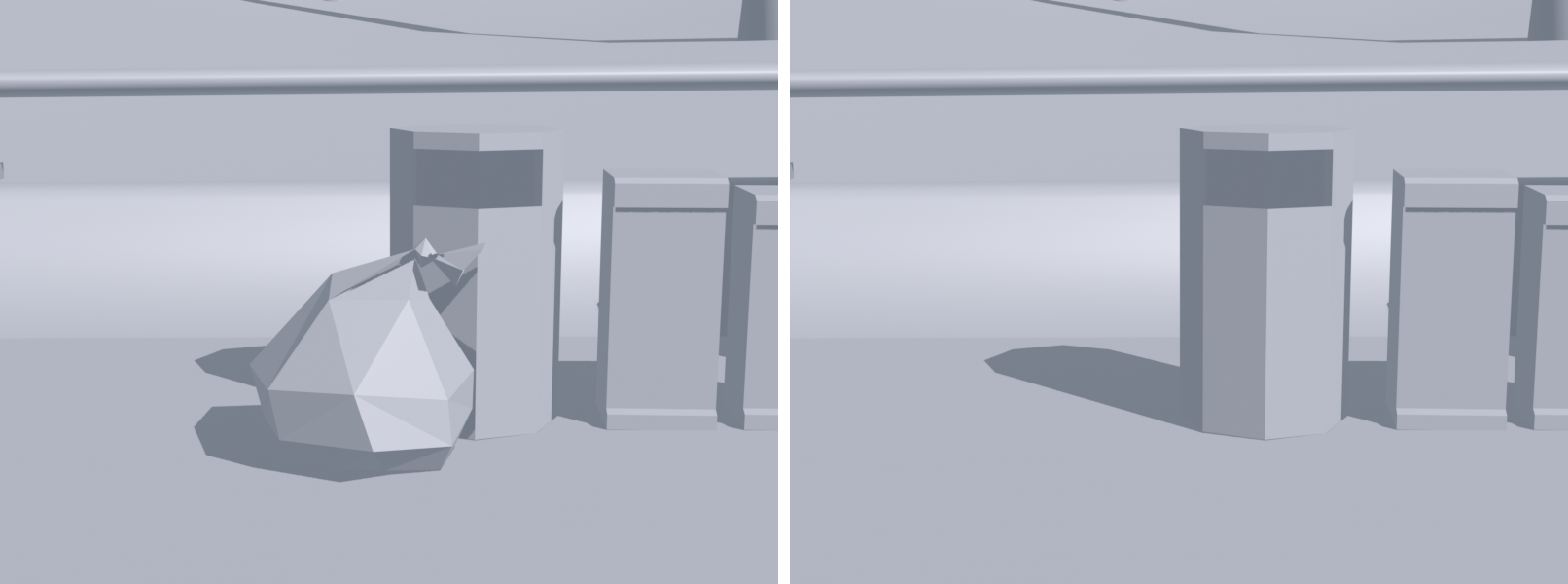
Most fixes change nothing you can see, so the proof is the re-scan. The picture below is one of our own test renders. Pictures of your own fixes are not made yet. A final walk through your own server checks collision, doors, stairs, and streaming in play.
Download and test.
Download the fixed resource and its report from your account. Read the changes, keep your original backup, and test the new resource before you replace your live version.
Load your resource
Use your real resource folder name in your server config:
ensure your_map_name
MLO Fixer for FiveM in ChatGPT.
Ask about a broken FiveM map or MLO in ChatGPT, then scan and fix it with your MLO Fixer account. Same checks, same reports, same credits as this site.
Connect it
- Find the app. In ChatGPT, open Apps and search for MLO Fixer for FiveM.
- Sign in. Press Connect and sign in with your MLO Fixer account (the same email and password as this site). ChatGPT asks you to allow access to your scans, uploads and fixes.
- Ask. For example: “Players fall through the floor of my MLO, why?” or “Scan my garage MLO”.
What it can do
- Explain common FiveM map and MLO problems: falling through floors, invisible walls, the oversized assets warning, texture loss, flickering walls, missing or floating props, Liberty City ports. No account needed for this.
- Give you a private upload link for your resource ZIP (up to 1 GB). The link works once, for 30 minutes, and puts the upload in your account. You can also attach a .zip in the chat if it is small enough for ChatGPT.
- Show your scan report: what we will fix automatically, and what we can only report for you to change.
- Start a fix when you say so. A credit is used only when the fix works. Your original upload is never changed.
- Show the fix result, sizes before and after, the re-scan verdict, and a private download link that works for 15 minutes.
- Show your plan and the fix credits you have left.
Purchases happen here on mlofixer.com, never inside ChatGPT. The app uses the credits and plan already on your account. See plans and credits.
Your data
ChatGPT sends us only what a tool needs: the problem you describe, a scan or fix id, or a file you attach. We send back your scan and fix results. Disconnect the app in ChatGPT at any time. Details are in the privacy policy.
Help: support or email [email protected].
How credits work.
Every fix uses one credit: an MLO credit for an interior, a map credit for a map. A credit is used only when the fix works. Nothing to fix, or the fix fails? No credit used. Scans and reports come with your upload.
- Single fixes: one MLO fix ($5) or one map fix for a map up to 500 MB ($6).
- MLO plans: Basic, 10 MLO fixes a month ($9). Pro, 40 a month with the priority queue ($19). Studio, up to 150 a month, fair use ($49).
- Map plans: Basic, 10 maps a month ($19). Pro, 20 maps a month with the priority queue ($39).
- MLO + Map Combo: 60 MLO fixes and 25 map fixes a month, priority queue ($49).
Prices are in US dollars. Monthly fixes reset each billing month and do not carry over. Plans renew monthly until you cancel on your account page. Buying happens only on mlofixer.com; the ChatGPT app never sells anything. See the refund policy.